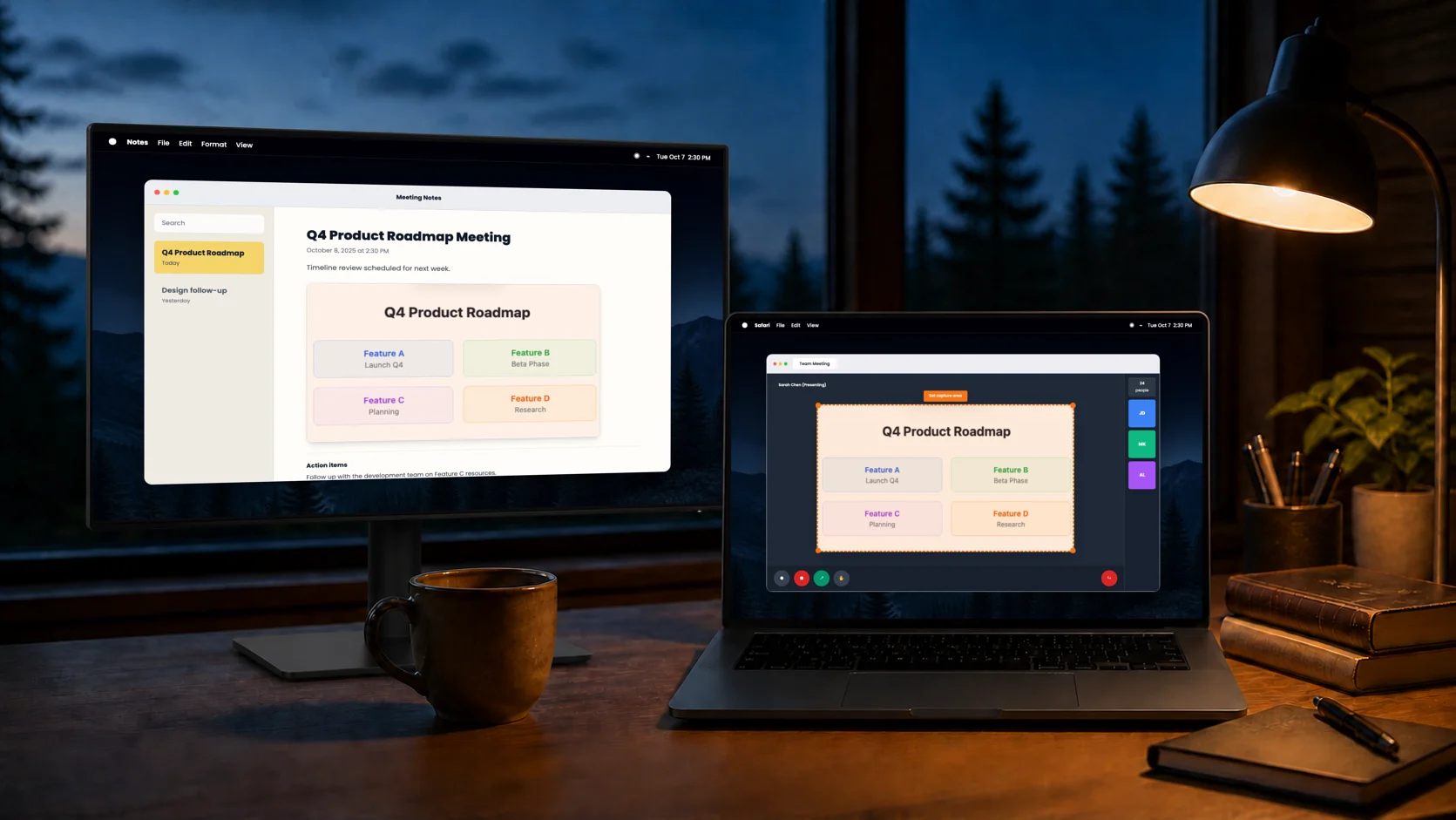
Your work moves.Your capture stays locked.
Select an area, window, or screen once. Capture it again whenever you need it, without stopping to reselect.
Set it once. Capture every change.
Choose the target and destination once. Then press ⌘⇧E whenever the content changes.
Choose target + outputs
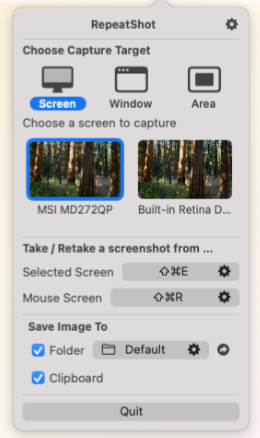
Target — Area · Window · Screen
Output — Clipboard · Folder · Both
Press the shortcut when content changes
The workspace moves on. The capture frame does not.
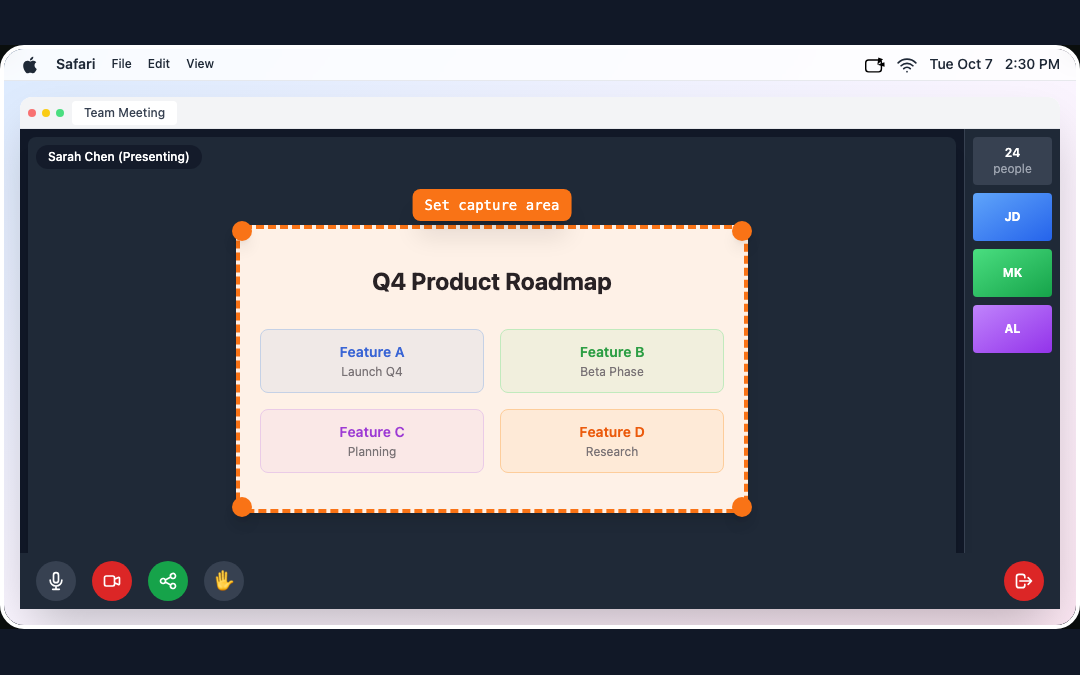
Q4 Product Roadmap
Get a new capture
Each press adds the latest version without asking again.
Animated demo. Visuals and interactions are illustrative.
The same target, three ways.
See how each mode works and keeps your target selected between captures.
Area Capture Mode
Draw your frame, capture anytime
Stop wasting time reselecting the same area. Define your capture zone once, then capture it repeatedly. Perfect for monitoring specific elements or tracking changes over time.
 Tue Oct 72:30 PM
Q4 Product Roadmap
Animated demo. Visuals and interactions are illustrative.
Window Capture Mode
Capture only the window you need
Stop hunting for the same window repeatedly. Select your target window once, then capture it again and again. Perfect for documenting progress or tracking changes in specific applications. Enjoy clean, distraction-free captures.
Animated demo. Visuals and interactions are illustrative.
Full Screen Capture Mode
Choose which screen to capture
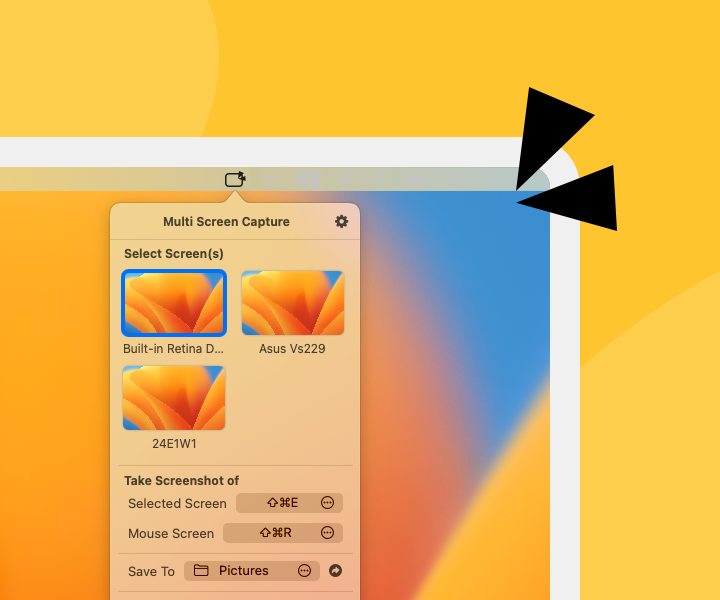
Tired of ⌘ + ⇧ + 3 flooding your desktop with screenshots from every screen? Repeatshot lets you capture just the screen you want.
Q4 Product Roadmap
 2:30 PM
Animated demo. Visuals and interactions are illustrative.
Built for High-Frequency Workflows
Designed for power users who need speed, efficiency, and seamless organization in their daily screenshot routine
Paste it now. Keep it for later.
Send a capture to the clipboard, a chosen folder, or both—without adding a file-moving step to the work.
Clipboard and folder output
One capture, ready in both places
Paste the capture into the task in front of you while a file copy stays organized in the folder you chose.
Q4 Product Roadmap
2:30 PMAnimated demo. Visuals and interactions are illustrative.
Have a feature request? Share with us
Choose How You Want to Start
Try every feature free, share pricing feedback for a discount, or buy directly.
Free Trial
Try everything RepeatShot has to offer
- 7-day full feature access
No credit card required
Survey Price
Share Your Pricing Feedback
Complete the survey to access this price
Where the fixed frame earns its keep.
RepeatShot is useful when one task needs several screenshots of the same target. For an occasional single capture, macOS may already be enough.
If the frame repeats, RepeatShot fits.
Choose a target once, then send each capture to your clipboard, a folder, or both.
Download for macOSThe practical details.
Everything you need to know about RepeatShot. Can't find what you're looking for?Ask us anything
RepeatShot is a macOS screenshot automation tool designed for people who take screenshots frequently. It eliminates repetitive decisions by remembering your preferences for capture mode and save location. Perfect for developers, designers, content creators, and anyone who needs consistent screenshots without interrupting their workflow.
Yes! RepeatShot is fully optimized for Apple Silicon Macs. Apple Silicon is recommended for the best performance and experience.
RepeatShot offers three capture modes (full screen, window, and area) all triggered by a single customizable hotkey (default: CMD+Shift+E). No need to memorize multiple shortcuts! For screen capture mode specifically, there's an additional CMD+Shift+R shortcut to capture the screen under your cursor.
RepeatShot is currently available at our special launch pricing with no recurring subscription fees. For current pricing options and details, please check the pricing section on our homepage. All purchases include 1 year of free updates, with special renewal pricing available for existing customers.
During your 7-day free trial, you have full access to all RepeatShot features. After the trial ends, you can choose to purchase the full version to continue using all features. Current launch pricing and purchase options are available in the pricing section on our homepage. If you decide not to purchase, the app will stop functioning, but you can reactivate it anytime by completing your purchase.
Yes! We offer a 14-day money-back guarantee. If RepeatShot doesn't meet your expectations, contact us within 14 days of purchase for a full refund. We may ask for feedback to help improve our product.
Currently, RepeatShot is priced at just $7.99, which already represents exceptional value compared to competitors. We don't offer additional educational discounts at this time, but we occasionally run promotional pricing that everyone can take advantage of.
Each license is designed for individual use only and allows installation on 1 macOS device. If you activate RepeatShot on a new device, the previous device will be automatically deactivated. For team collaboration, each team member needs their own license. Contact us for multi-user discounts!
Absolutely! Your RepeatShot license is designed to move with you. When you upgrade to a new Mac or need to switch computers, simply activate RepeatShot on your new device - your license will automatically transfer from the previous computer. The old device will be deactivated and RepeatShot will stop working on it, but you can always reactivate it on that device if needed.
We're here to help! Visit our Feedback page to report bugs, request features, or ask questions. We actively incorporate user feedback into product improvements.
Still have questions?
Our team is here to help. Get in touch and we'll respond as soon as possible.
Contact Support